Table of Contents
Executive Overview
In modern Speech-to-Text (STT) pipelines, compute is the primary cost driver. Running an idle microphone stream through an NVIDIA A10G GPU to transcribe complete silence is catastrophic for unit economics. During a typical one-hour meeting, any individual participant is silent for 70% to 85% of the duration.
By implementing Voice Activity Detection (VAD) at the absolute edge—specifically, directly within the client's browser using WebRTC—engineering teams can aggressively trim silence before the audio ever traverses the network. This guide breaks down how to architect a client-side WebRTC VAD pipeline, the mathematical heuristics required to prevent clipping, and how this technique slashes cloud infrastructure costs by up to 70%.
1. The Economics of Client-Side VAD
To understand the impact of VAD, we must examine the cost of an untreated streaming pipeline.
The Unoptimized Baseline
Imagine a telehealth application with 1,000 concurrent 30-minute video calls (2,000 users). If the client application blindly streams raw WebSockets audio from all 2,000 microphones to a cloud STT provider (billing at $0.005 per minute), you are billed for 60,000 minutes of processing ($300).
However, during those 30-minute calls, only one person is speaking at a time, and there are frequent pauses. Over half of the audio you transmit to the API contains nothing but HVAC hums and keyboard typing.
The VAD-Optimized Architecture
By injecting a WebRTC VAD node into the browser's audio graph, the client only opens the WebSocket and transmits payload when human speech is detected.
- Network Savings: You reduce outbound bandwidth from the client by ~70%.
- API Savings: You only pay the STT provider for the dense, speech-heavy minutes actually processed. The $300 bill drops to roughly $90.
- Hallucination Prevention: Transformer models like Whisper notoriously hallucinate bizarre text when fed long stretches of static silence. VAD acts as a physical firewall against these model failures.
2. WebRTC VAD: How It Works
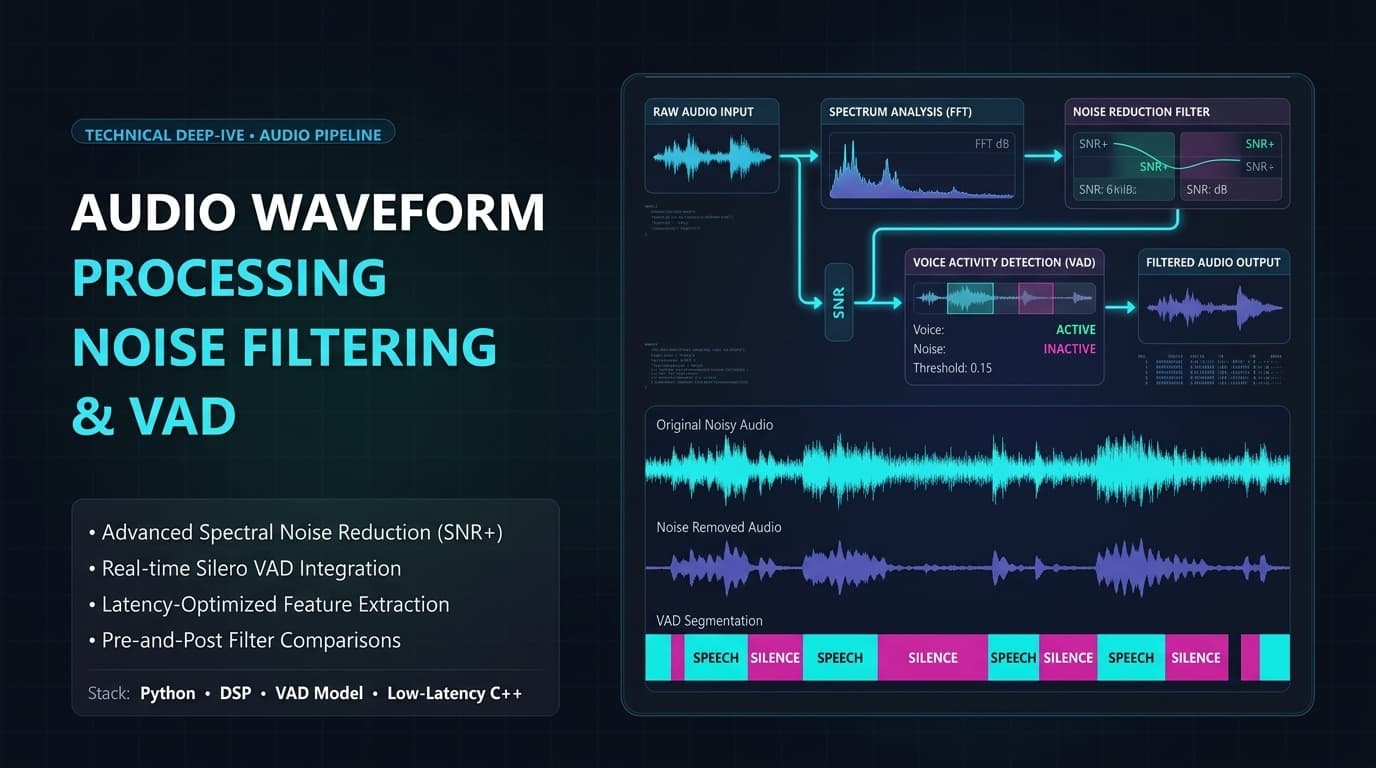
WebRTC VAD is an open-source, highly optimized C-based algorithm originally developed by Google for Hangouts and WebRTC infrastructure. It is exceptionally fast and operates purely on the CPU.
The Gaussian Mixture Model (GMM)
Unlike deep learning VADs (like Silero) which use neural networks, WebRTC VAD uses a Gaussian Mixture Model. It divides audio into tiny 10ms, 20ms, or 30ms frames and classifies each frame based on its frequency spectrum. If the frequencies map to the known statistical distribution of human vocal cords, it flags the frame as speech: true.
Porting to the Browser (WebAssembly)
To use WebRTC VAD in a React or Next.js frontend, you must compile the C code into WebAssembly (Wasm). Libraries like vad-web abstract this process, allowing you to load the Wasm binary directly into an AudioWorklet.
High-Level Implementation Flow:
- Call
navigator.mediaDevices.getUserMediato capture the microphone. - Pipe the
MediaStreaminto anAudioWorkletNode. - Inside the Worklet, the Wasm VAD evaluates 30ms frames.
- The Worklet posts boolean messages (
speech: true/false) back to the main thread.
3. The Art of the "Hangover" Timer (Buffering)
The most common mistake engineers make when implementing VAD is cutting the audio too aggressively, resulting in a horrific, robotic user experience where the first and last syllables of sentences are chopped off.
The Clipping Problem
Human speech does not start and stop cleanly. Sentences end with trailing breath, fading fricatives (like the "s" in "yes"), or trailing vowels. If you immediately stop recording the millisecond the VAD outputs false, you will truncate the end of the user's word.
Implementing Pre-Roll and Hangover
To fix this, you must implement a Ring Buffer in your application state.
- Pre-Roll Buffer: Always maintain the last 300ms to 500ms of audio in a rolling buffer. When the VAD triggers
true, prepend this buffer to the transmission. This ensures you capture the sudden onset of speech before the VAD had time to react. - The Hangover Timer: When the VAD triggers
false, do not stop recording immediately. Start a "hangover" countdown timer (e.g., 800ms). If the VAD remainsfalsefor the entire 800ms, then finalize the transmission block. If the user speaks again before the timer expires, cancel the timer and continue recording.
This logic guarantees that brief pauses between words or trailing breaths are captured seamlessly.
4. Deep Learning Alternatives: Silero VAD
While WebRTC VAD is blazing fast and lightweight, it has one major flaw: it is easily fooled by non-human noise. Sirens, dog barks, and loud mechanical clacking can trigger a false positive, causing your app to transmit garbage data to the STT API.
Enter Silero VAD
If your users operate in highly noisy environments (e.g., field workers, busy coffee shops), consider replacing WebRTC VAD with a neural-network-based VAD like Silero VAD.
Silero is an ONNX-based model that can run via onnxruntime-web directly in the browser. It is vastly superior at distinguishing between human vocal cords and aggressive background noise.
The Trade-off:
- WebRTC VAD: < 1MB footprint, sub-1ms CPU execution. Prone to false positives in noisy rooms.
- Silero VAD: ~2MB model size, higher CPU/Memory utilization. Exceptionally accurate in high-noise environments.
For most standard B2B SaaS meeting applications, WebRTC VAD combined with a 500ms hangover timer provides the optimal balance of performance and accuracy.
5. How Modern AI Transcription Solves This
When you build VAD at the edge, you drastically change how the backend STT engine receives data.
Chunked Processing with Whisper
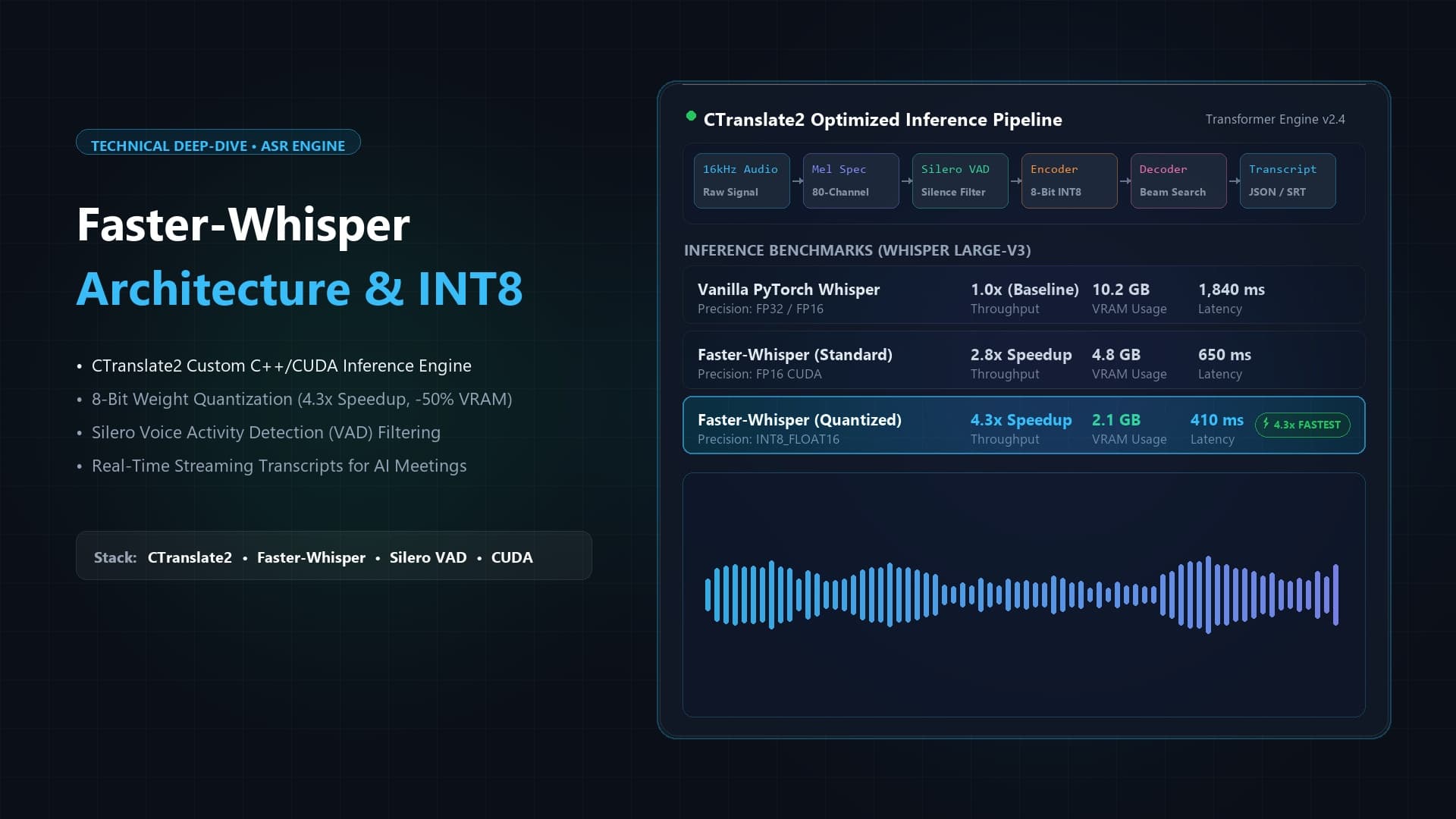
If you are running a self-hosted Whisper architecture, client-side VAD is the secret to building a "perceived real-time" pipeline. Instead of trying to hack Whisper to stream WebSockets, you simply wait for the client-side VAD hangover timer to expire, and then send the 4-second audio chunk via a standard HTTP POST request. Whisper processes this chunk in ~200ms and returns the text. Because the VAD perfectly sliced the audio at a natural pause, Whisper has complete contextual acoustic boundaries to work with, minimizing hallucinations.
Deepgram's Endpointing
If you are using a managed API like Deepgram, they already implement highly tuned VAD on their servers (known as Endpointing). However, running your own VAD on the client side before hitting Deepgram ensures you aren't wasting egress bandwidth or API credits on 10 minutes of silence while a user is on mute.
By utilizing client-side VAD, you transform your transcription architecture from a "dumb pipe" that streams infinite noise into an intelligent, event-driven micro-batching system.
Frequently Asked Questions
Does client-side VAD drain laptop battery life?
Running a Wasm-based WebRTC VAD within an AudioWorklet is highly optimized. It generally consumes less than 1-2% of a modern CPU core. It is significantly less computationally expensive than rendering standard UI animations. However, running heavy ONNX neural networks (like Silero) continuously can cause noticeable battery drain on older mobile devices.
What frame size should I use for WebRTC VAD?
WebRTC VAD supports 10ms, 20ms, and 30ms frames. Always default to 30ms. A larger frame gives the GMM algorithm more frequency data to analyze, resulting in significantly higher accuracy and fewer false positives, with a negligible impact on latency.
How do I handle users who breathe heavily into the microphone?
Heavy breathing (mic clipping) can trigger WebRTC VAD. If this is a chronic issue, you must run an acoustic high-pass filter (dropping frequencies below ~80Hz) to remove the low-end rumble of breath before passing the audio buffer into the VAD node.
Can I just rely on Zoom's native silence removal?
If you are integrating via a Zoom Bot that captures audio from the cloud, Zoom already implements aggressive VAD. However, if you are capturing audio locally via the browser's microphone API for a native web application, you must implement the VAD logic yourself.

Written by Abhishek
I created MeetMind AI to eliminate manual note-taking and ensure teams never lose critical decisions or action items after a call. All technical content is verified against our current codebase.
Read Founder ProfileReady to eliminate manual meeting notes?
Secure your meeting data while generating accurate AI summaries in minutes.
- AI Meeting Notes & Summaries
- Automated Action Item Tracking
- Search Across Every Meeting