Table of Contents
When an executive reads a cleanly formatted, three-bullet-point summary of a chaotic 45-minute meeting, it often feels like magic.
But if you are a software engineer or a product manager who has actually tried to build one of these tools internally, you know the truth. There is no magic. There is only a highly complex, incredibly fragile pipeline of machine learning models that are constantly on the verge of breaking.
Human conversation is messy. Unlike a well-edited blog post about AI assistants, spoken dialogue is spontaneous. It is full of false starts, heavy sighs, cross-talk, and regional accents. When you feed that acoustic chaos into a computer, it doesn't intuitively know the difference between a dog barking in the background and a CEO making a strategic pivot.
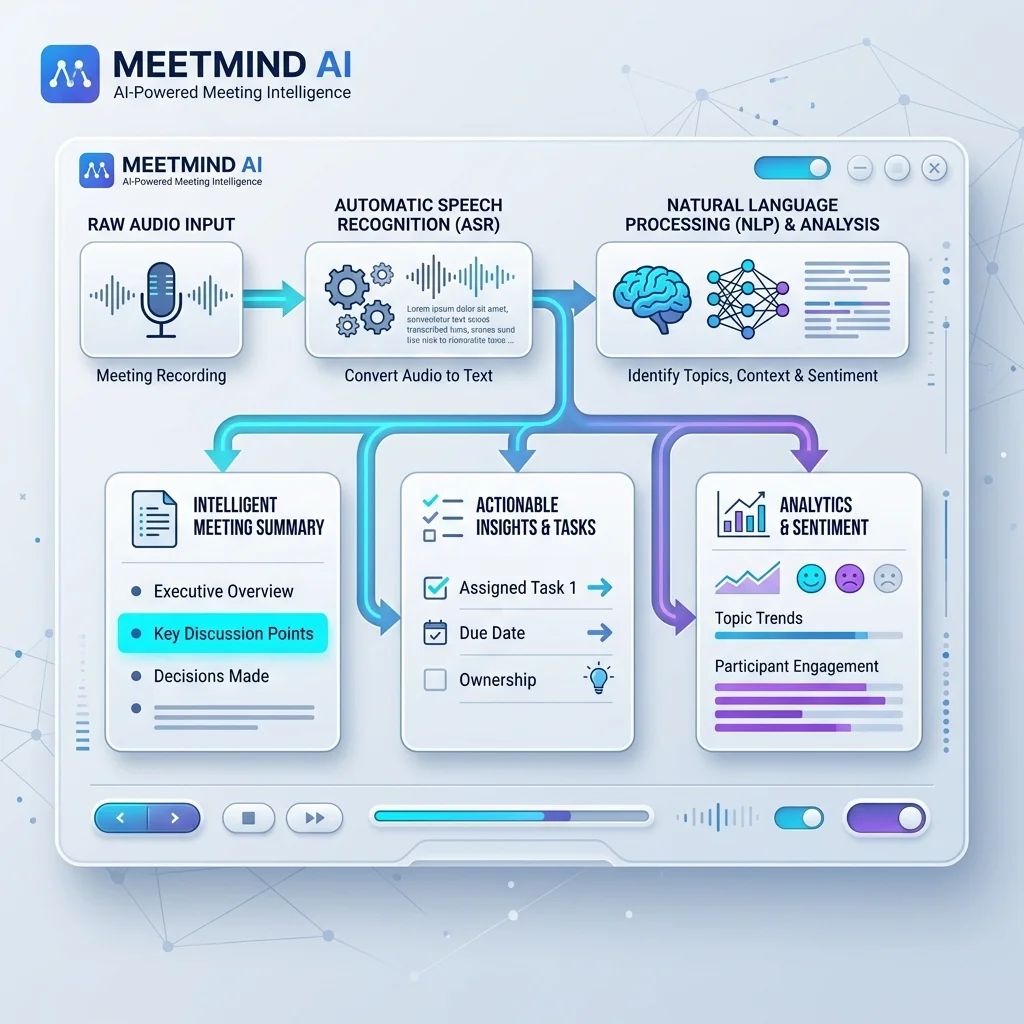
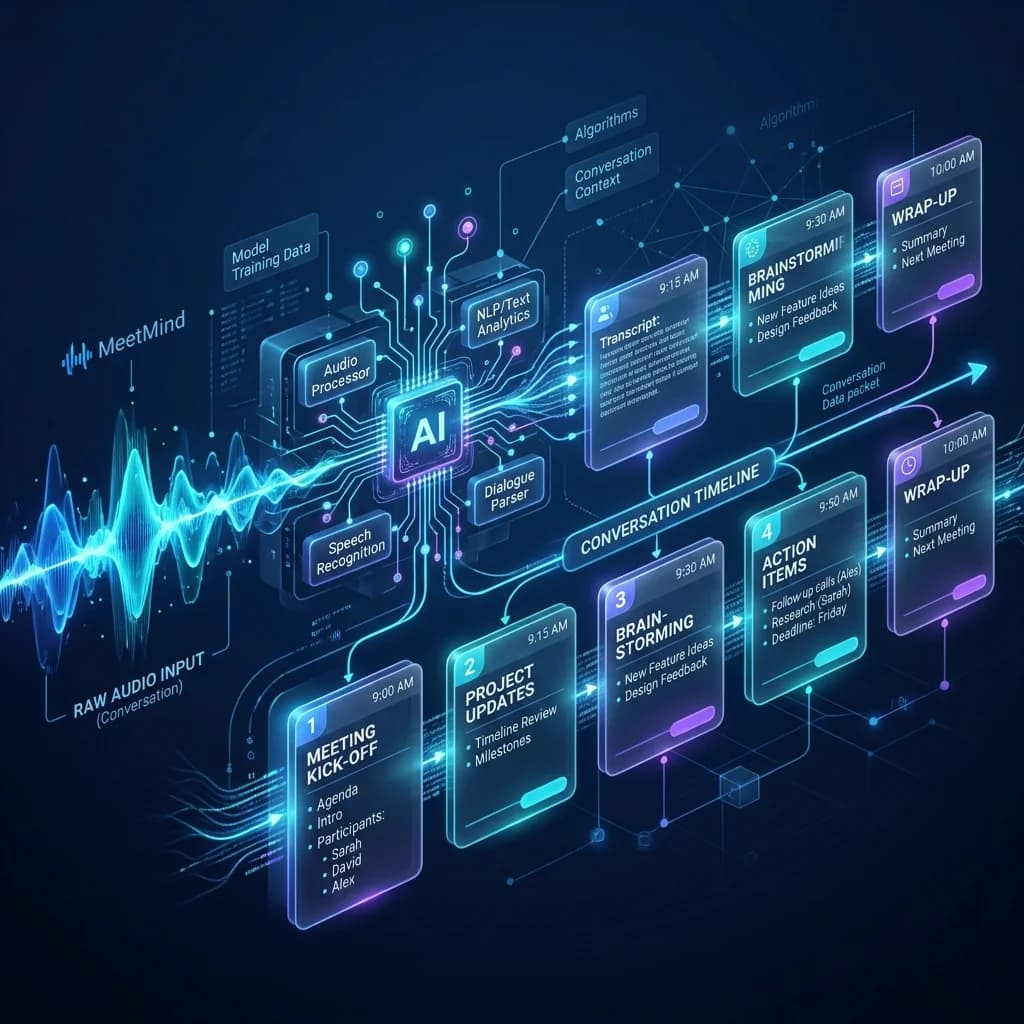
The reality of generating a pristine executive summary requires chaining together at least three distinct AI models—often built by entirely different companies—in real-time. If any single model in that pipeline hallucinates, the final output is compromised.
In this deep dive, we will pull back the curtain on the actual engineering architecture powering modern AI meeting tools like MeetMind AI. We will look at the specific choke points where these pipelines fail, the trade-offs engineers make between speed and accuracy, and why simply sending an audio file to an API isn't enough to build a production-ready product.
The First Choke Point: Automatic Speech Recognition (ASR)
The pipeline always begins with Automatic Speech Recognition (ASR). This is the model responsible for converting raw audio into text.
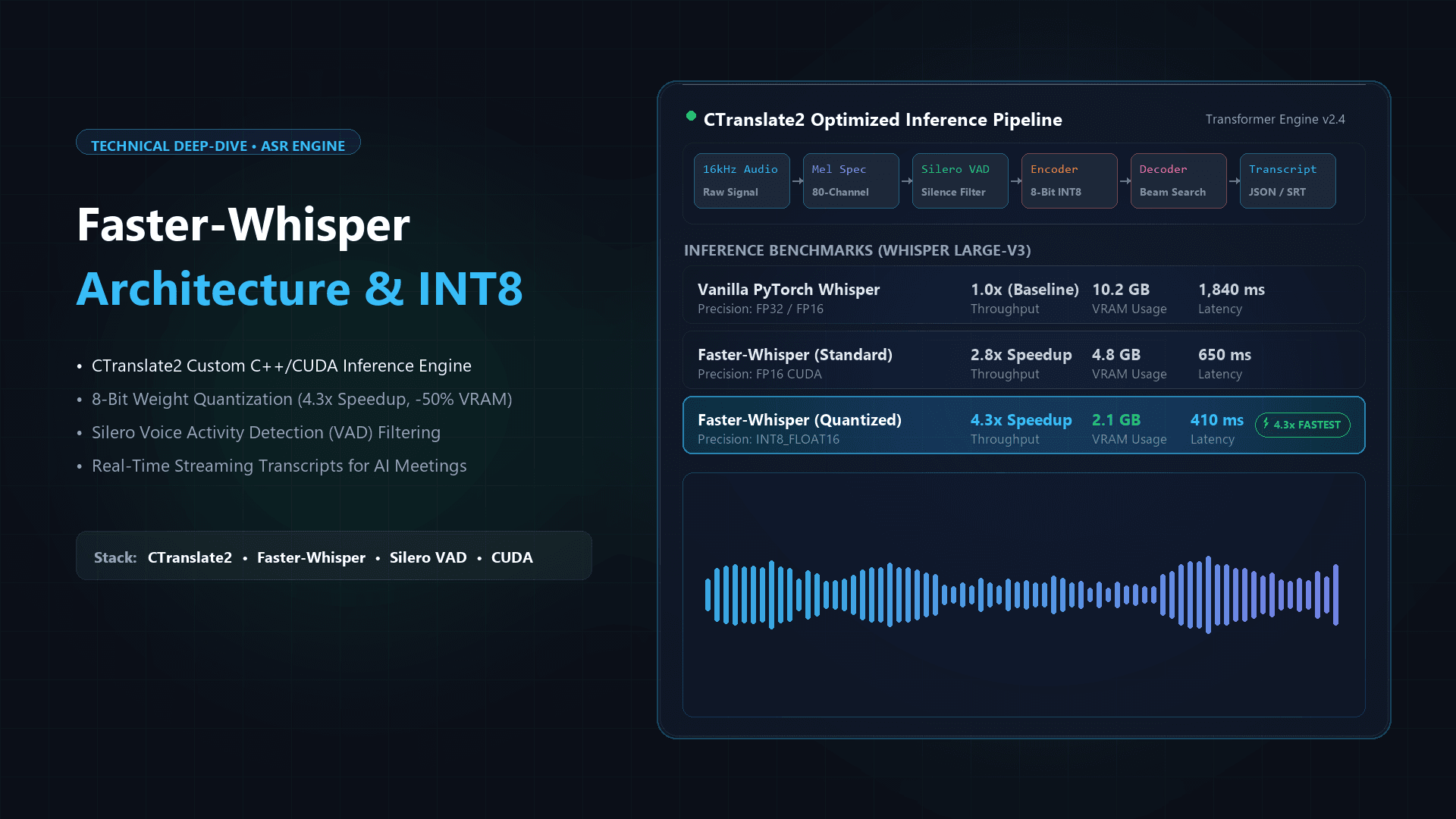
Five years ago, ASR models relied heavily on phonetic dictionaries. They listened for specific sound waves and guessed the word. Today, models like OpenAI's Whisper architecture use deep neural networks that don't just listen—they predict.
If the audio is muffled, a modern ASR model knows that the phrase "let's touch base" is statistically much more likely in a corporate environment than "let's touch bass." It uses contextual prediction to fill in the acoustic blanks.
The Engineering Reality of ASR
Here is the insight that most people miss: ASR accuracy does not scale linearly.
Getting a model to 85% accuracy is relatively easy today using off-the-shelf open-source tools. Getting it to 95% accuracy requires exponentially more compute power and heavily curated training data.
One of the most common mistakes internal engineering teams make is deploying a heavy ASR model locally without realizing the GPU costs involved. A transcription job that takes 10 seconds on an expensive A100 GPU might take 45 minutes on a standard server. When you are processing thousands of hours of meetings a day, compute cost becomes your primary bottleneck.
Furthermore, ASR models suffer from a phenomenon known as "hallucinated silence." If there is a long pause in the audio filled with static, older Whisper models would sometimes loop the last transcribed phrase endlessly or invent words that were never spoken. Engineering teams have to build specific Voice Activity Detection (VAD) gates to mute the ASR model when no human speech is detected.
The Hardest Problem in Audio: Speaker Diarization
A flawless transcript is functionally useless if you don't know who is speaking.
If your team is evaluating the best AI note-taking apps of 2026, the single biggest differentiator between a toy product and an enterprise tool is how well it handles Speaker Diarization.
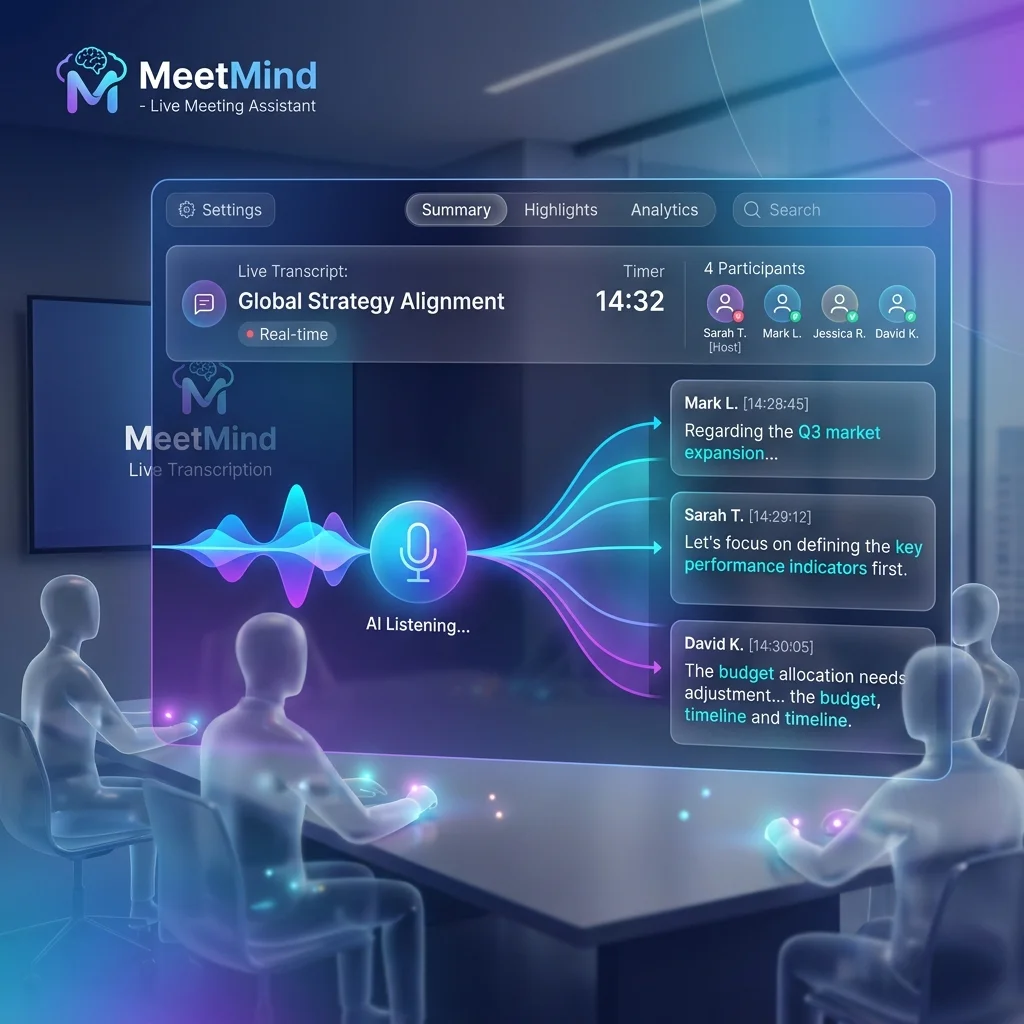
Diarization is the process of partitioning an audio stream based on speaker identity. The algorithm analyzes the unique acoustic footprint—the pitch, tone, and cadence—of the voices on the recording. It then clusters those audio segments and assigns tags like [Speaker 1] and [Speaker 2].
Why Diarization Fails in the Real World
If you ask an LLM how diarization works, it will give you the textbook answer above. But if you've actually deployed this in production, you know that diarization models fall apart completely in rooms with severe acoustic echo.
If three people are sitting in a glass-walled conference room sharing a single omnidirectional microphone, their voices bounce off the walls. The algorithm registers those reflections as entirely different speakers. A meeting with three people suddenly generates a transcript with eight speakers.
Another massive edge case is overlapping speech. When a manager talks over a direct report, traditional diarization algorithms panic. The acoustic vectors merge. The system either drops the overlapping speech entirely or attributes the entire chaotic segment to the loudest voice. Modern architectures use sophisticated spectral clustering to pull those overlapping voices apart, but it remains one of the most computationally expensive steps in the pipeline.
The LLM Bottleneck: Context Windows and Chunking
Once the audio is transcribed and diarized, you finally have a text document. Now, you need to summarize it using a Large Language Model (LLM) like Anthropic's Claude or Google's Gemini.
The immediate technical limitation here is the "context window"—the maximum amount of text the model can process at once.
The "Lost in the Middle" Phenomenon
While models like Gemini 1.5 Pro boast massive context windows capable of digesting entire books, throwing a 3-hour, 40,000-word transcript directly into an LLM is an amateur engineering mistake.
Extensive research, including landmark studies by Stanford researchers, has proven that LLMs suffer from a "lost in the middle" phenomenon. If you feed an LLM a massive document, it remembers the introduction accurately. It remembers the conclusion accurately. But it drastically hallucinates or completely ignores critical data buried in the middle of the text.
If your company's Q3 budget gets approved at the 45-minute mark of a 2-hour meeting, a naive API call will likely miss it entirely.
Semantic Chunking
To solve this, experienced platforms use a technique called semantic chunking.
Instead of feeding the entire transcript to the LLM at once, the backend infrastructure breaks the meeting down into logically coherent 10-minute segments. It runs a smaller, faster model to extract the key decisions from each specific chunk. Then, it takes those extracted insights, combines them, and feeds them into a heavier, more expensive model to generate the final, cohesive executive summary.
This multi-pass architecture costs more in API calls, but it completely eliminates the "lost in the middle" amnesia.
Prompt Engineering for Extraction
The final step is formatting. The LLM must be told exactly how to synthesize the data.
If a developer simply prompts an LLM with "Summarize this transcript," the output will be a generic, unhelpful paragraph. The LLM will be lazy. It will write sentences like, "The team discussed the marketing budget and decided someone should follow up with the vendor."
That isn't an action item. That's a summary of a vibe.
Forcing Accountability
Production-grade prompts are massive, deeply engineered instruction sets. They explicitly forbid the LLM from using passive voice.
A real prompt forces the model to bind every action item to a diarization tag. It commands the AI: "You must extract all future commitments. Every commitment must be assigned to a specific speaker. If the speaker's name is not explicitly stated in the text, you must use their diarization tag (e.g., Speaker 2).
This is how an AI meeting assistant turns conversational clutter into a highly structured project management update. It doesn't just read the text; it enforces operational accountability.
Where the Pipeline Breaks (And How to Fix It)
Even the most robust pipeline has limitations. Understanding these edge cases is the difference between a successful enterprise deployment and a frustrated team abandoning the software.
The Sarcasm Trap
LLMs are brilliant at semantic analysis, but they are incredibly literal. They struggle immensely with dry sarcasm.
We have seen instances where an engineering team was complaining about a legacy codebase. One developer sarcastically joked, "I guess I'll just delete the entire production database tonight." The LLM, lacking the context of human humor, dutifully extracted that statement and placed it in the final summary as a high-priority action item.
Until artificial general intelligence (AGI) arrives, human oversight remains mandatory. You should always read the executive summary before automatically porting it into your company's CRM or Slack channel.
The Muffled Microphone Reality
The entire pipeline operates on a principle of cascading failure. If the audio quality is terrible, the ASR model hallucinates words. Because the words are wrong, the diarization model assigns them to the wrong speaker. Because the text and the speakers are wrong, the LLM generates a summary of a conversation that never actually happened.
The most advanced LLM in the world cannot save a muffled recording from a built-in laptop microphone operating next to an air conditioning vent. If you want high-quality automated summaries, you must enforce basic audio hygiene across your organization.
Frequently Asked Questions
Why does the summary generation take several minutes?
Processing audio through a multi-pass pipeline is computationally heavy. A 60-minute meeting requires audio normalization, ASR transcription (often using heavy GPU instances), spectral clustering for diarization, semantic chunking, and multiple LLM passes. Platforms that offer "instant" summaries are typically skipping the chunking phase, which drastically increases the risk of hallucination and lost data.
Can custom vocabulary be injected into the ASR model?
Yes, and for highly technical teams, it is mandatory. Standard ASR models will heavily struggle with proprietary acronyms, specific client names, or highly niche industry jargon. Enterprise tools allow administrators to upload a custom phonetic dictionary to the ASR engine, forcing it to prioritize your company's specific lexicon when it encounters ambiguous audio.
How do different LLMs handle meeting contexts?
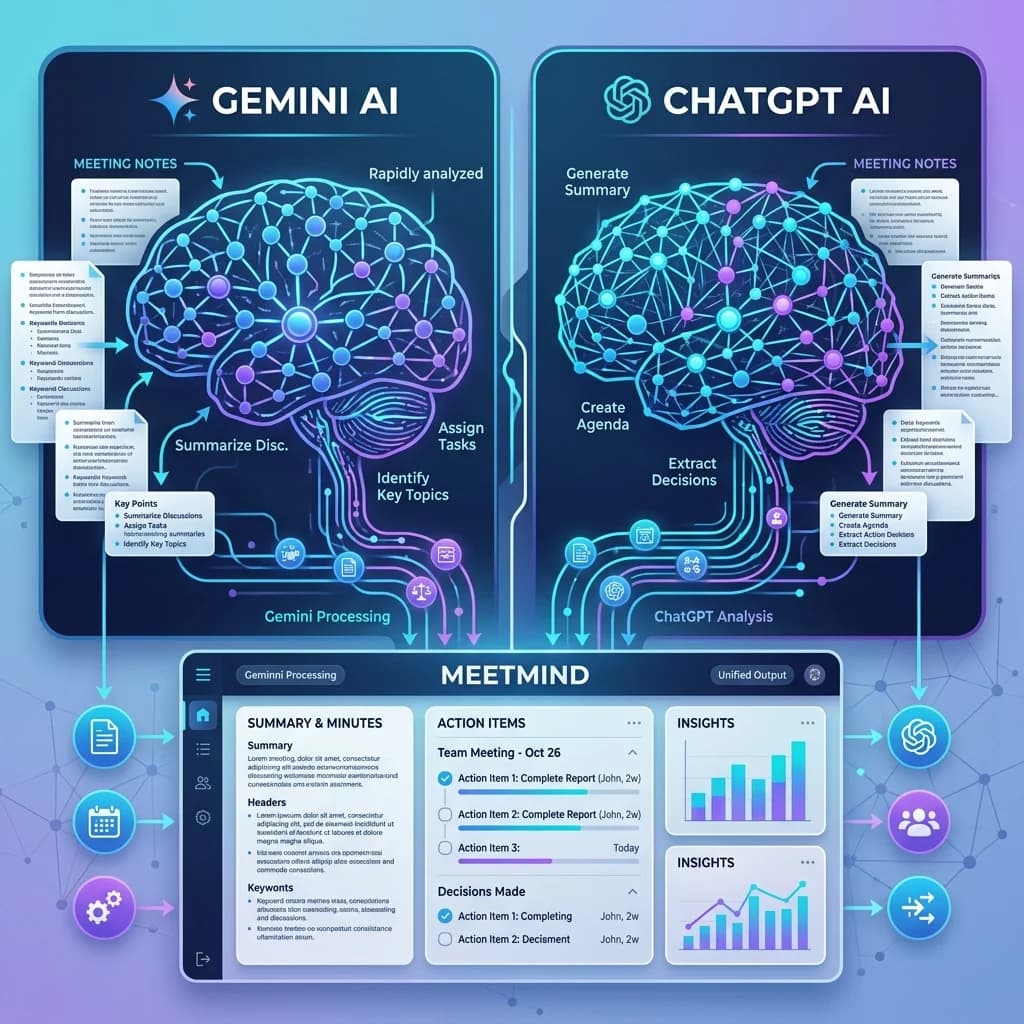
Different models have different strengths. For example, Anthropic's Claude models are notoriously good at following strict formatting constraints and avoiding hallucinations. OpenAI's GPT-4o excels at synthesizing complex, abstract arguments into digestible bullet points. Many mature platforms don't rely on a single provider; they route specific chunks of text to different models based on the required task to optimize for both latency and accuracy.
The Mechanics of Meeting Intelligence
Understanding how AI distills a one-hour conversation into a concise summary demystifies the technology. As models like Llama 3.3 become more advanced, the gap between human intuition and machine extraction continues to narrow.
Experience the Power of a Managed Pipeline
Building this infrastructure from scratch requires months of engineering time and constant maintenance as new models are released.
Don't let your valuable engineering resources get bogged down fighting diarization bugs and hallucination edge cases. MeetMind AI manages the entire pipeline for you. We leverage state-of-the-art ASR, robust spectral clustering for speaker identification, and multi-pass semantic chunking to ensure you get flawless executive summaries every single time.
Start processing your meetings with MeetMind AI today and experience the difference a production-grade pipeline makes.

Written by Abhishek
I created MeetMind AI to eliminate manual note-taking and ensure teams never lose critical decisions or action items after a call. All technical content is verified against our current codebase.
Read Founder ProfileReady to eliminate manual meeting notes?
Secure your meeting data while generating accurate AI summaries in minutes.
- AI Meeting Notes & Summaries
- Automated Action Item Tracking
- Search Across Every Meeting